

[ ENTERING_THE_EVENT_DESK ]
BVT EVENTS Weddings · Conferences · Incentive trips Run the whole wedding weekend from one desk.
- 1 $WHATSAPP_NUMBER
- 100 $EVENTS_AT_ONCE
- 3 $PLATFORMS
- 7 $DAYS_FREE
"No guest left waiting at the airport"
BVT EVENTS collects every guest's travel on WhatsApp, plans their pickups and rooms, checks them in with a QR pass and keeps your team on time. Guests need no app: everything happens on the WhatsApp they already have.
Your first project is free for 7 days · No card needed · Built by BitVault
SCROLL_TO_ENTER[ /LIVE_ARRIVALS ]
The arrivals board
Who lands when, who picks them up, and which room is ready. When a flight is late, one press moves the pickup.
This is the arrivals board in BVT EVENTS. Flight times update by themselves. When a flight is late, one press moves the pickup, and your airport team gets a WhatsApp message.
[ /GUEST_JOURNEY ]
A guest's weekend
The same five moments happen at every wedding. Each one has a screen in BVT EVENTS, and your team sees all of them for every guest.
- ◆ Step 1
/WHATSAPP/
Details on WhatsApp
Import the guest list from Excel. Every guest gets a WhatsApp message, and the reminders stop once they reply with their travel.
⚡ Automatic✓ No app - ◆ Step 2
/ARRIVALS/
Arrival and pickup
The arrivals board shows who lands when. Guests on the same flight share a car, and late flights are checked by themselves.
⚡ Live flightsCars - ◆ Step 3
/ROOMS/
Room and gate pass
Give rooms from the list. Each guest gets a personal page with a QR gate pass. There is no app to install.
⚡ QR pass✓ Any browser - ◆ Step 4
/FUNCTIONS/
Every function
RSVP for each function, from Haldi to the reception, with headcounts for the caterer and a record of who came.
⚡ RSVPHeadcounts - ◆ Step 5
/REPORTS/
Departure and reports
Drop cars, gifts given and received, and a full report for the family and for your accounts.
⚡ Reports✓ Export
meri gaadi kab aayegi?
Aapki gaadi: Fri, 4 Dec 16:55, Udaipur airport. Driver: Raju (98222 00009), Innova.
संगीत कितने बजे है?
Kapoor Mehta Wedding:
• Sangeet: Sat, 5 Dec 19:00, Lake Lawn (ड्रेस: Indo-western)
Can we get one more room? My sister is coming too.
Okay. A person from the event team will reply to you here soon.
[ /AI_ASSISTANT ]
Answers at 2 AM
The assistant replies on your WhatsApp number when your team is busy or asleep. It answers in English, Hindi or Hinglish, the way the guest wrote.
- Program, room, pickup and gate pass come straight from your guest list, for that guest only.
- Requests, complaints and anything about money go to your team. It never promises a room, a car or a refund.
- Most answers come from buttons and fixed rules, so the AI is used only when it is really needed.
- When a guest still has not sent travel details, the reply asks for them, at most once a day.
[ /TEAM_OPS ]
Your team, on time
Give each person a post, like driver, airport rep or rooms desk, and the to-dos that come with it. They see their work in the app or simply write "next" on WhatsApp.
- "OK, got it" buttons on WhatsApp, with a reminder and then a call to you when nobody answers.
- Shifts with check-in by a QR code on the venue desk, and an alarm when someone does not come.
- An SOS button that reaches the managers first and then the whole team, with the location.
- Incident reports with photos, private and group chat with voice notes, and an evening summary for you.
next
Your to-dos (3):
1. Collect garlands from Bapu Bazaar · 15:00
2. Welcome drinks at the lobby · 16:30
3. Name boards for the airport · 17:30
done 1
✓ Marked done: Collect garlands from Bapu Bazaar. Next: Welcome drinks at the lobby · 16:30
[ /ONE_NUMBER ]
One WhatsApp number
Connect your WhatsApp Business number once. Guests, families and your team from every project message that one number, and BVT EVENTS puts each chat in the right event. You never buy a new number for a new wedding.
- 100
- Events at oncein one company, all on one number
- 1 login
- For the familyshowing only their side's guests if you want
- 1 bell
- For your deskrings for anything late, missing or broken, before a guest notices
[ /SOFTWARE ]
The software itself
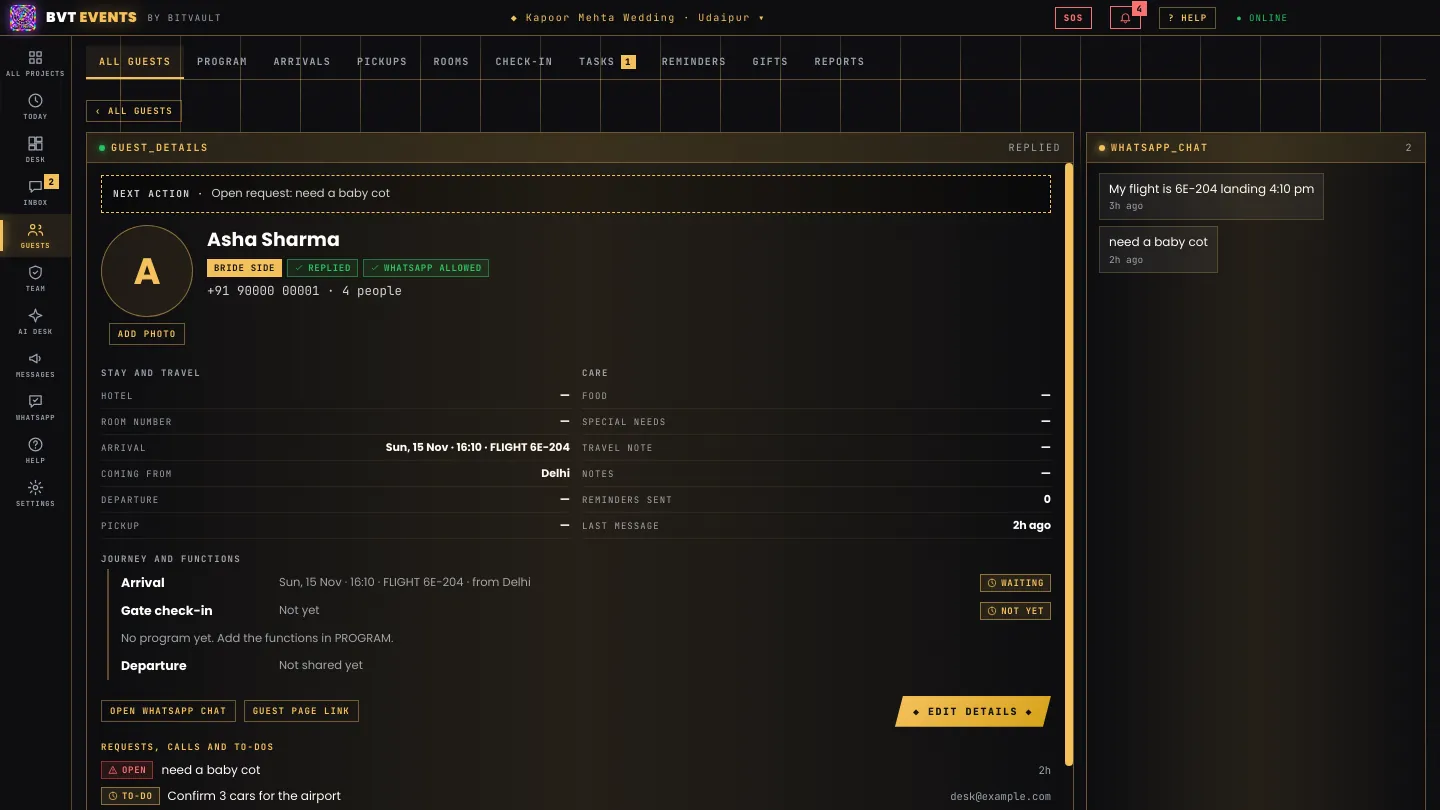
Real screens from the Windows app, with test data.
[ /PRICING ]
One price per event
Pay for each project (one wedding or one event) for as long as you need it. Every feature and your whole team are included. There is no charge per guest.
1 month
₹10,000
for one project
3 months
₹25,000
₹8,333 a month
Save 17%
6 months
₹45,000
₹7,500 a month
Save 25%
1 year
₹85,000
₹7,083 a month
Save 29%
Your first project is free for 7 days. Prices are in Indian rupees, before any tax that applies. WhatsApp message fees are charged by Meta to your WhatsApp account directly and are not part of our price.
There is no online payment yet. Message us, and we send you an activation code to type in the app.
[ /PLATFORMS ]
Computer and phone
The Windows app is made for the hospitality desk and updates itself. On an Android phone, install the BVT EVENTS app. On any other phone, open the same account in the browser and add it to your home screen. Your team and the family use it the same way.
/WINDOWS/
Windows app
For the hospitality desk. It updates itself when a new version is out.
Download for Windows/ANDROID/
Android app
The same account on your phone, full screen. Android asks once to allow installing from the browser.
Download for Android/BROWSER/
Any browser
iPhone, Mac or any computer. Add it to the home screen and it works like an app.
▶ Open in the browser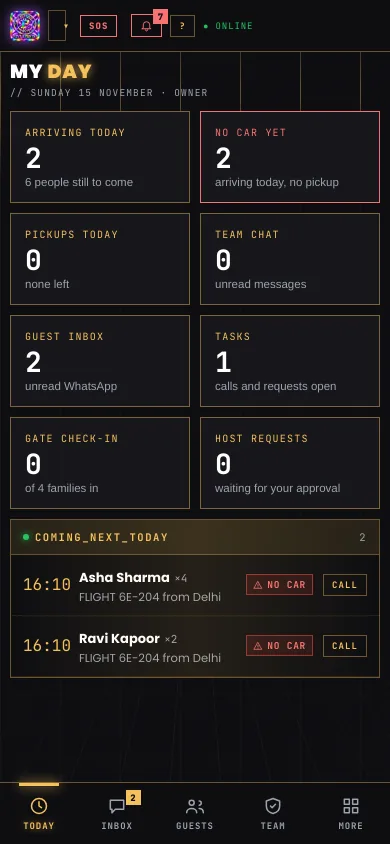
[ /FAQ ]
Questions
Do guests need to install an app?
No. Guests use the WhatsApp they already have. Each guest can also get a personal page that opens in any browser, with their program, room, pickup and gate pass.
Do I need a new WhatsApp number for every event?
No. You connect one WhatsApp Business number, and every project uses it. When a guest writes, BVT EVENTS finds which event the message belongs to, and asks the guest with a button when it cannot tell.
Who pays for the WhatsApp messages?
Meta charges WhatsApp messages to your WhatsApp Business account directly. They are not part of the BVT EVENTS price. Most replies to guests who wrote to you in the last 24 hours cost little or nothing.
Can the bride's or groom's family see the guest list?
Yes. Give the family a login for one project. It can show all guests or only their side, and you can ask that their changes wait for your approval.
Is our guest data safe?
Each company's data is kept apart, and only the people you add can see it. You decide how guest data is used, and we process it only to run the service for you, as India's Digital Personal Data Protection Act asks. Phone and ID numbers are removed before anything goes to the AI, and we do not sell personal data.
Does it work outside India?
Yes. Phone numbers take any country code, so guests and team members can be anywhere. Prices are in Indian rupees for now.
What happens when a plan ends?
For three days the project is view-only and messages stop. After that it is locked, but you can still look and export everything. Using a new code adds time to the plan.
How does my team join?
Add a person with their mobile number, or send an invite link. They prove their number with one WhatsApp message and you approve them. Roles decide what each person can do: owner, manager, desk, runner or viewer.
[ /CONTACT ]
Talk to us
Tell us about your company and the events you run. We will show you BVT EVENTS on your own guest list.